


You ever notice how you can really figure out a company’s character, not when something goes right, but when something goes… sideways? For me, it wasn’t even my own mess—it started with my neighbor, Mark, leaning over the fence one Saturday morning, phone clutched like it had personally betrayed him.
He’d been poking around the Koodo website late at night, half-asleep, trying to answer a simple question. Classic sleepy-clicking happened, and suddenly he’d signed up for a new data plan he absolutely did not need. Like, really didn’t need. And instantly, panic set in. He was already picturing the dreaded hour on hold, the automated robot voice menu, the “press one for misery, press two for despair” nightmare.
But here’s where things got interesting. He finally called Koodo customer service, expecting the usual corporate indifference. Instead, the agent on the line chuckled. Yep. She actually laughed, the kind of “oh, I’ve totally been there” laugh that immediately makes you feel a little less stupid. She walked him through reversing the plan, explained everything clearly, and—here’s the kicker—recommended a better, cheaper plan that suited his actual usage. Ten minutes, done. No sweat.
He hung up laughing at the absurdity of it all. What could have been a mini disaster became a small, kind of funny story. It made me wonder: was this a fluke, or does Koodo really handle customers this well?
A Quick Intro: What is Koodo Mobile?
Before we get too deep into support stories, let’s set the stage. Koodo Mobile is a Canadian telecom provider, owned by Telus, started back in 2008. They’re known for being flexible, simple, and contract-free—basically, a no-frills alternative for folks who want straight-up mobile service without being locked in. Students, budget-conscious people, families—it all fits. That simplicity isn’t just for the plans; it seems baked into their customer service too.
Why Koodo Customer Service Feels Different
Let’s be honest—dealing with customer service usually feels like punishment. Endless hold music, a robotic voice that never understands, waiting just to explain your issue to someone who’s clearly not listening. Koodo seems to have realized this, looked at it, and said, “Yeah… let’s flip this.” Their approach is basically: let people solve most problems themselves, and make human help genuinely helpful when needed.
1. Self-Serve: Your Digital Lifesaver
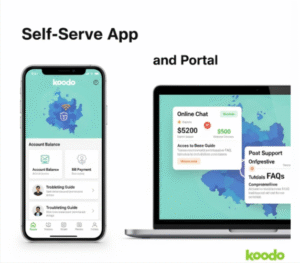
This is the heart of the Koodo experience. Their Self-Serve portal, on both the website and the mobile app, is surprisingly powerful. It’s not just for paying your bill—it’s like having a personal account manager available 24/7.
With Self-Serve, you can:
- View and pay your bill in a few clicks.
- Switch your plan instantly. Need more data? See a cheaper promo? Done.
- Add temporary features like roaming or extra data boosts.
- Track usage in real-time—minutes, texts, data. This is huge for avoiding surprise charges.
- Update personal info like email, address, or billing details.
Basically, most people can solve 80% of their problems without ever calling. Faster for you, faster for everyone else. It’s the kind of self-serve tool that actually feels empowering instead of frustrating.
2. Koodo Assist: The Chatbot That Doesn’t Suck
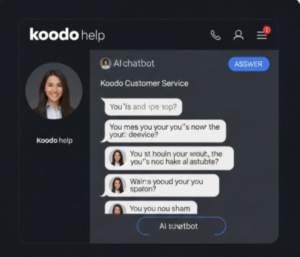
I know, I know—a chatbot? Ugh. But hear me out. Koodo Assist is their AI-powered helper, and it’s surprisingly competent. It’s available 24/7, quietly sitting in the corner of the website, ready to help.
Ask it things like:
- “How do I change my voicemail password?”
- “What roaming options do I have?”
- “I’m getting an error on my screen, help!”
And here’s the thing—it often links you directly to the Self-Serve page you need. If it can’t solve your problem, it escalates seamlessly to a real human without making you repeat yourself. That’s a big deal—so many bots just make things worse.
3. The Human Touch
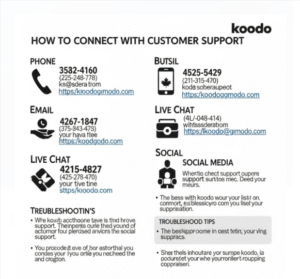
Sometimes, you just need a human. Koodo doesn’t skip this part—they’ve got multiple ways to connect:
- Callbacks instead of hold music: Instead of waiting forever, you request a callback. They call you when it’s your turn. You get to keep doing your life instead of being stuck on the phone. It’s such a small thing, but it makes a huge difference.
- Live chat: Prefer typing? Start with Koodo Assist, then request a live chat if needed.
- Social media support: Active on Twitter/X and Facebook Messenger, their team is usually responsive and friendly.

4. The Community Forum
This one’s underrated. The Koodo Community Forum is full of real users helping each other. Weird error messages? Billing quirks? Someone’s already probably solved it and posted the fix. Official Koodo moderators jump in too. It’s like having a crowd-sourced tech support team.
Step-by-Step: How to Contact Koodo
Got a problem? Here’s the practical way to handle it:
- Try Self-Serve first. Quick, often solves it instantly.
- Engage Koodo Assist. Chatbot might solve your problem or link you to the right place.
- Request a callback or live chat. If the bot can’t handle it, escalate.
- Social media for quick questions. Tweet or DM politely—sometimes works faster than expected.
- Check the Community Forum while you wait. You might find your answer in minutes.
Common Problems Koodo Customer Service Can Assist With
The following are some of the most common issues that Koodo’s staff deals with:
- Billing inquiries: fees, deadlines, and problems with payments

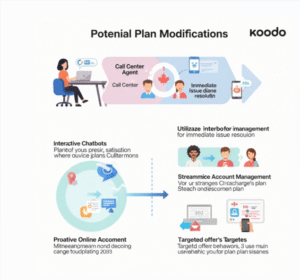
- Plan Modifications: Changing to a new plan, upgrading, or downgrading
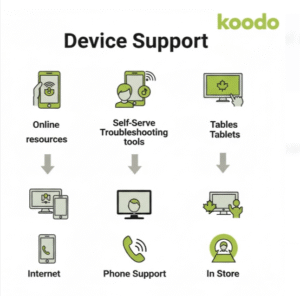
- Device Support: assistance with warranty, troubleshooting, or activation
- Travel and Roaming Choices: Including pay-per-use or Easy Roam features

- Account management: Changing your password, email address, or address

Pro Tips for a Smooth Experience
- Be polite and patient. Friendly people go further. Remember Mark’s chuckle story.
- Have info ready: phone number, account email, or account number. Speeds things up.
- Be clear: Explain the problem simply. “I accidentally added a data pack” works better than a long-winded story.
- Screenshot issues: If you see an error or weird charge, snap a photo. Visuals help agents diagnose instantly.
The Honest Scoop: Pros and Cons
The Good Stuff:
- Powerful self-serve tools
- Callback system saves time
- Multiple ways to reach humans
- Friendly, helpful agents
The Not-So-Good Stuff:
- No direct phone number—some people hate this
- Chatbot can’t handle super complex cases
- Callbacks may take longer during peak times
Final Verdict
So, is Koodo actually good at customer service? Based on Mark’s experience and my own digging, yes.
They get it: most people want speed, convenience, and control. You can often solve problems yourself. When you need human help, it’s fast, friendly, and thoughtful. Sure, it’s not perfect for everyone—if you insist on calling a number and waiting forever, you’ll be frustrated. But for digital-savvy customers, Koodo’s approach works brilliantly.
Closing Thoughts
Koodo’s customer service isn’t flashy, and it’s not about flashy ads or hype—it’s about making things work with as little stress as possible. Mark’s story is proof that even a potentially annoying mishap can become a smooth, positive experience if the company is genuinely set up to care.
If you’re looking for a telecom that respects your time, gives you control, and doesn’t make every little problem a nightmare, Koodo is hard to beat. It’s simple, friendly, and surprisingly efficient. And honestly? That laugh from the agent might be the best part—it’s human, real, and exactly what customer service should feel like.
Read more: T mobile customer service ❤️
10 FAQ’S
How do I get in touch with Koodo customer support?
Request a callback or use Koodo Assist on their website.
Is there live chat assistance available on Koodo?
After utilizing Koodo Assist, live chat is accessible.
Can I give Koodo a call directly?
Use the callback request feature instead of a straight line.
What is Koodo Assist, please?
It’s Koodo’s customer service virtual chatbot, available around-the-clock.
Does Koodo have a customer support number?
Use Self Serve or ask for a callback if you need general assistance.
How can I resolve a Koodo billing issue?
Chat with Koodo Assist or sign in to Self Serve.
Is it possible to alter my plan without contacting Koodo?
The Koodo app or Self Serve are both viable options.
Does Koodo provide in-store assistance?
Limited assistance; the majority of problems are resolved online.
Is it possible to reach Koodo via social media?
You may contact them using Twitter/X or Facebook Messenger.
What hours does Koodo’s customer care department operate?
Live support is available during business hours, while online resources are available always.